Uber Eats and DoorDash Photo Requirements Compared
One dish photo rarely fits every delivery app. Use this comparison of ratios, review rules, and rejection fixes before you upload.
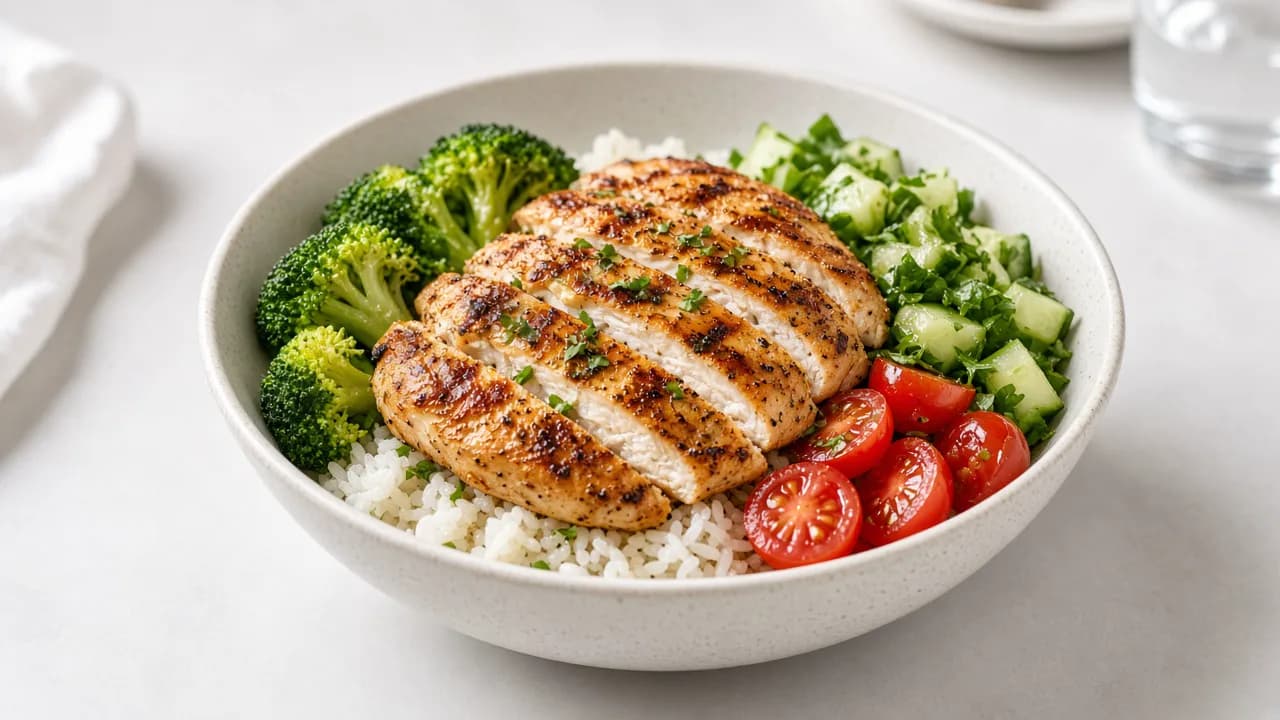
Keep one centered, honest dish photo with extra margin, then export separate landscape crops for each marketplace instead of forcing one square everywhere.
Restaurants that list on more than one delivery app usually discover the hard way that photo rules are not interchangeable. A vertical story crop that looks great on Instagram can fail DoorDash. A wide DoorDash frame can look oddly cropped on Uber Eats. The solution is not more reshoots. It is one careful capture and multiple exports.
What both platforms agree on
Despite different pixel targets, both marketplaces push the same commercial standard:
- One menu item per image.
- The dish must represent what the customer receives.
- The subject should be centered and easy to recognize.
- No text overlays, watermarks, collages, or stock photos.
- People and faces stay out of the frame; hands only when secondary.
If your current library breaks those rules, fix the library before worrying about exact dimensions.
Side-by-side comparison
Platform docs change, so treat the numbers below as planning targets and verify against the merchant portal before a large upload batch.
| Spec | Uber Eats item photo | DoorDash item photo | Practical takeaway |
|---|---|---|---|
| Shape | Landscape around 5:4 to 6:4 | Landscape 16:9 | Shoot wider than a square |
| Resolution | Aim for at least 1200 × 800 | Aim for at least 1400 × 800 | Keep a high-resolution master |
| Subject | Single centered item | Single centered item | Do not pair sides in one frame |
| Background | Clean and sanitary | Simple and natural | Prep counters usually fail |
| Common rejects | Wrong ratio, multiple items, text | Wrong ratio, blur, overlays, misleading edits | Review before every upload |
DoorDash is especially strict about landscape framing. Uber Eats is especially sensitive to multiple items and text overlays. Both punish stock images and photos that do not match the listed dish.
The export workflow that saves time
- Capture a master photo with margin. Keep the whole dish visible and leave space on every side.
- Lock the plate identity. Same bun, garnish, bowl, and portion the kitchen will send.
- Export a 5:4-style crop for Uber Eats-style catalogs.
- Export a 16:9 crop for DoorDash-style listings and headers.
- Keep a square social crop separately for Instagram or Stories. Do not upload that social crop to delivery apps by default.
- Name files by item and platform so staff do not reuse the wrong export.
Seven rejection fixes that clear most queues
- Wrong aspect ratio: re-export from the wide master instead of stretching.
- Multiple items: remove the side, drink, or second plate.
- Text or logo overlays: strip promotional graphics before upload.
- Blur or soft focus: tap to focus on the dish and reshoot; do not rely on sharpening alone.
- Harsh kitchen light: move to a window or soft side light.
- Cluttered background: replace or clean the surface.
- Misleading presentation: remove added toppings, inflated portions, or packaging the customer will not receive.
AI editing rules of thumb
Enhancing a real photo of your dish for lighting, color, and background cleanup is usually aligned with marketplace expectations when the food remains accurate. Generating a dish you never plated, or heavily altering ingredients and portion size, is the risk zone.
Before publishing an AI-assisted image, ask one question: if a customer compared the photo to the bag, would they feel misled?
Recommended next steps
- Audit your top 20 sellers and mark missing or weak photos.
- Reshoot those items with a wider master frame.
- Export Uber Eats and DoorDash crops from the same master.
- Keep a review checklist in the merchant login docs so every staff member uses the same standard.
For the photography process itself, continue with Food Photography for Delivery Apps. For the difference between enhancement and invented food images, read AI Generated Food Images vs Real Dish Photos.
Start from the plate you serve, then create clearer marketing and listing-ready variations.