Food Photography for Delivery Apps: Specs That Pass Review
Delivery listings reward one centered dish, honest portions, and platform-ready crops more than lifestyle styling. Use this workflow to produce images that convert without getting rejected.
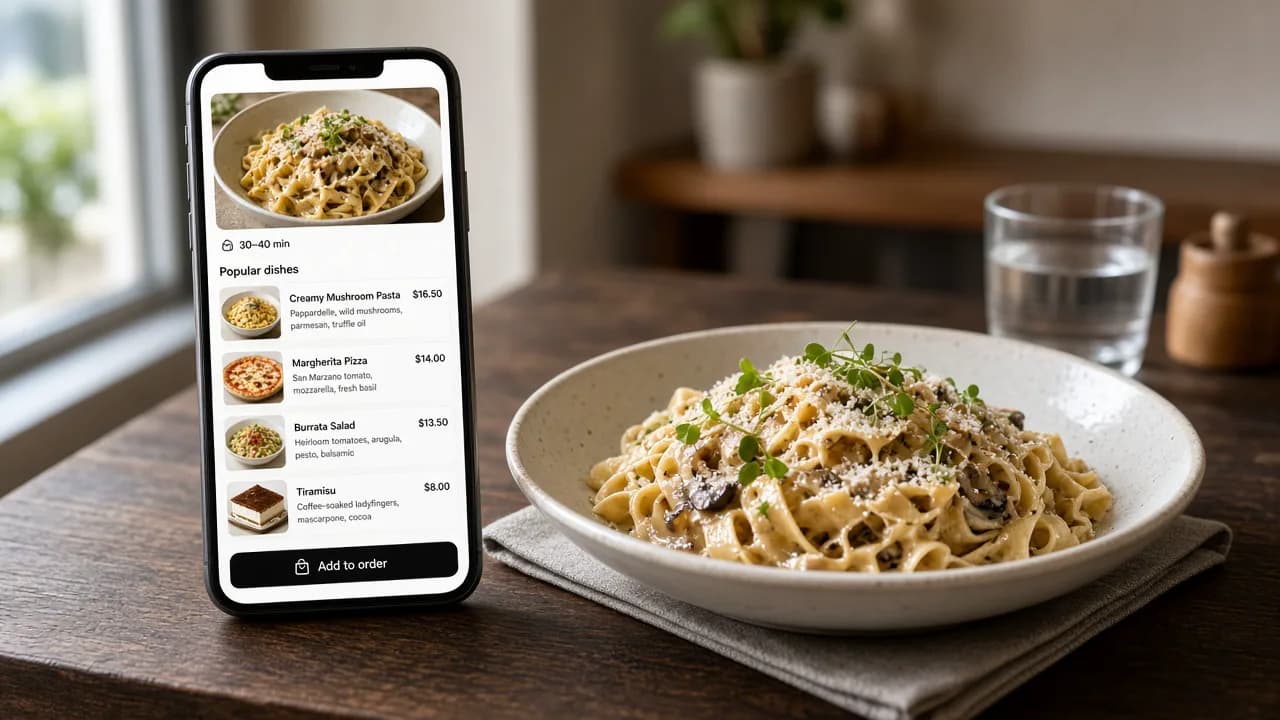
Shoot one real dish per frame, keep the portion honest, leave breathing room for crops, and export separate ratios for each marketplace.
Delivery apps are often the first place a new customer sees your food. On a small phone screen, a blurry prep-counter shot loses the order before the description is read. The reverse is also true: a polished image that does not match the bag creates refunds and one-star reviews.
Good delivery photography is not the same job as Instagram storytelling. It is product photography for food that must arrive looking familiar.
What delivery photos are judged on
Reviewers and customers care about four things:
- Accuracy: the image must represent the item that will be delivered.
- Clarity: the dish should be sharp, centered, and easy to recognize at thumbnail size.
- Simplicity: one item, clean surface, no text overlays, logos, collages, or faces.
- Format: each platform crops differently, so a single tight square rarely works everywhere.
If a photo fails any of those checks, it can be rejected or simply ignored in the feed.
Platform differences that matter
Exact pixel rules change, but the practical differences stay consistent:
| Need | Uber Eats-style item shot | DoorDash-style item shot | Safe capture habit |
|---|---|---|---|
| Framing | Landscape around 5:4–6:4 | Landscape 16:9 | Leave margin around the plate |
| Subject | One centered item | One centered item | Fill most of the frame without cropping edges |
| Background | Clean and uncluttered | Neutral and simple | Avoid prep stations and packaging piles |
| Editing | Keep the dish honest | Keep the dish honest | Fix light and clutter; do not invent food |
Shoot a slightly wider master photo once. Then export the crops each marketplace needs instead of reshooting for every upload.
A 10-minute kitchen workflow
- Plate the real portion. Use the same bowl, bun, garnish, and serving size a customer receives.
- Clear the surface. Wipe sauce rings, spare cutlery, tickets, and unrelated sides out of frame.
- Use one broad side light. Window light or a soft lamp from the side beats overhead fluorescents.
- Center the dish and leave margin. Delivery thumbnails crop aggressively; edge details disappear first.
- Capture one item per photo. A burger with a side salad in the same frame can fail review.
- Review at thumbnail size. Shrink the image on your phone. If the dish is hard to identify, reshoot closer or simplify the plate.
Enhancement versus generation
Restaurants searching for AI food tools often mix two different products:
- Enhancement starts from your photo and improves light, background, and presentation while keeping the dish recognizable.
- Generation invents food from a prompt. It can look impressive and still show the wrong bun, portion, or toppings.
For live menus, enhancement is the safer default. Platforms care whether the photo represents the item. A generated fantasy plate is a business risk even when it looks beautiful.
Checklist before you upload
- Does the photo show only the listed item?
- Is the portion size honest?
- Are lighting and focus good enough to read at thumbnail size?
- Did you export the aspect ratio the platform asks for?
- Are text, watermarks, borders, and promotional graphics removed?
- Would a regular customer recognize the dish when the bag arrives?
Where FoodPostStudio fits
FoodPostStudio is built for the volume work between full photoshoots: weekly specials, new delivery items, and refreshed menu visuals that still start from a real dish photo. Use it to improve presentation and prepare social or marketing crops, then review every result against the actual plate before anything goes live on a marketplace.
FoodPostStudio keeps the dish recognizable while helping you prepare cleaner, publishable marketing images.