What Is an AI Food Photo Editor? A Practical Guide for Restaurants
A practical explanation of how restaurants can turn real dish photos into polished marketing assets without losing sight of what they actually serve.
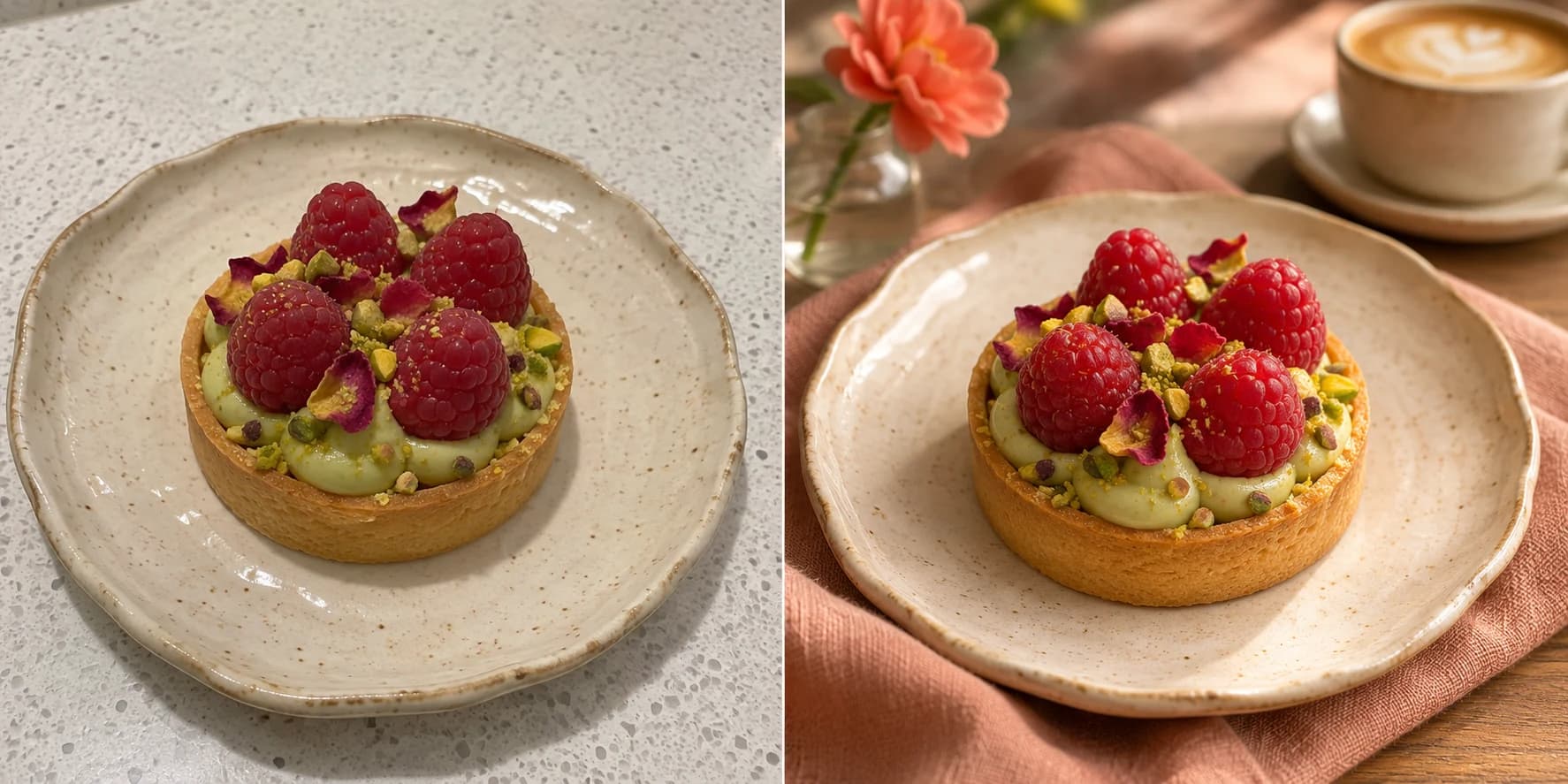
An AI food photo editor starts with a real photo of a dish and improves how it is presented while preserving the food's identity.
A restaurant rarely has a shortage of food worth showing. The shortage is usually time, reliable light, uncluttered surfaces, and someone available to turn a quick phone photo into a finished marketing asset.
That is the problem an AI food photo editor should solve. It is not a replacement for the kitchen, and it should not invent a different plate. It is a production tool for turning an existing dish photo into content that is easier to publish consistently.
What an AI food photo editor actually does
A useful editor works from the photo you upload. Depending on the direction you choose, it can improve presentation around the dish while keeping the recognizable ingredients, portion, and plating at the center of the result.
- Improve weak or uneven lighting.
- Reduce visual clutter around the plate.
- Place the dish in a cleaner or more appropriate setting.
- Reframe an image for a square post, portrait feed post, or story.
- Create several visual directions from one source photo.
- Pair the image with a caption, hashtags, and accessible alt text.
The real job is not editing one attractive picture. It is maintaining enough usable content for weekly specials, new dishes, seasonal campaigns, delivery listings, and ordinary posts between launches.
Editor, enhancer, or image generator?
| Tool | Starting point | Best use | Main risk |
|---|---|---|---|
| Photo enhancer | Your existing photo | Color, sharpness, and exposure fixes | Limited control over the setting |
| AI food photo editor | Your real dish photo | Presentation, background, mood, and format | Over-editing the food if results are not reviewed |
| Text-to-image generator | A written prompt | Concepts and illustrative campaign ideas | Producing food that does not match what customers receive |
For restaurant marketing, the distinction is important. A generated burger may look convincing while having the wrong bun, toppings, size, or side dish. Editing from a real reference gives the business a much stronger basis for checking whether the final image is honest.
Who is it for?
The primary audience is commercial, even when the software is self-serve:
- Independent restaurant owners handling their own marketing.
- Cafés and bakeries publishing rotating products and weekly specials.
- Food trucks, caterers, and delivery-first kitchens.
- In-house social media or operations managers.
- Food creators and freelancers producing content for small food brands.
A casual diner can use the same technology, but the business value comes from repeatable output, commercial use, reusable brand direction, and formats that match the places where a restaurant sells.
A practical phone-to-post workflow
- Photograph the real dish. Show the full plate in clear light and avoid heavy portrait-mode blur around the food.
- Choose the publishing goal. A delivery listing needs clarity; a dinner promotion can support a darker, more atmospheric direction.
- Select the format before generating. Compose deliberately for 1:1, 4:5, or 9:16 rather than cropping important parts afterward.
- Review every variation. Check ingredients, garnish, portion size, plate shape, and visible packaging or branding.
- Finish the post. Edit the supplied caption and alt text so every claim matches the actual offer.
What to look for before choosing a tool
Do not judge an editor only by its most dramatic before-and-after image. For ongoing restaurant use, the less glamorous details are often more important.
- Dish fidelity: can you still recognize the food your kitchen serves?
- Format control: can you generate the aspect ratio you need before export?
- Repeatability: can the same visual and writing direction be reused?
- Review workflow: can you compare variations and keep the best one?
- Commercial terms: are business use and download rights explained clearly?
- Content handling: are uploads private and can projects be deleted?
When a professional photographer is still the right choice
A photographer remains the better option for a permanent hero campaign, packaging, a full menu launch, highly controlled advertising, or any shoot where art direction and exact color reproduction justify the cost.
An AI editor is strongest for the high-volume work between those shoots: weekly posts, short-lived offers, new delivery items, and content that otherwise would not be produced at all.
FoodPostStudio creates image variations and the copy needed to turn them into finished posts.